
Turn any video into a recipe you can actually cook.
Paste a link to a TikTok or Instagram cooking video and Chompo pulls out the ingredients and steps into a clean, structured recipe — saved to your library, ready to shop and cook.
For iPhone. Requires iOS 17 or later.
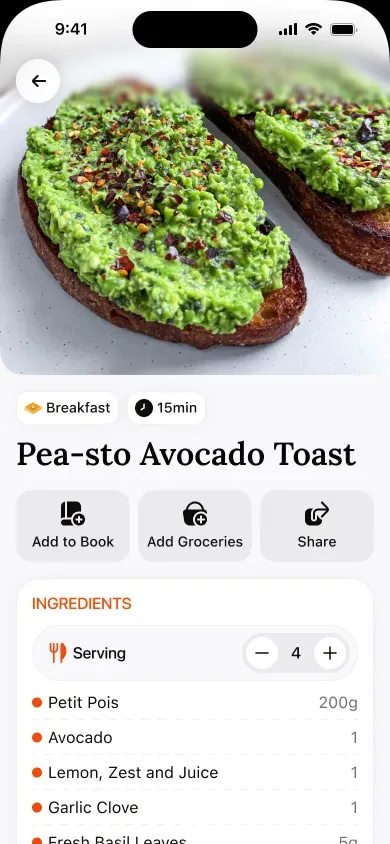
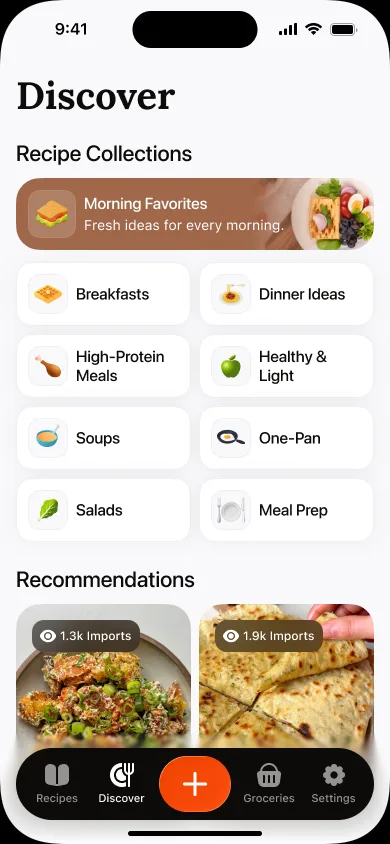
From a scroll to a cooked meal.
No pausing, rewinding, or screenshotting. Chompo does the tedious part so you can just cook.
Paste a link
Share or paste a recipe video from TikTok or Instagram. Chompo reads it and gets to work in seconds.
Structured automatically
Ingredients with amounts and clear, numbered steps — pulled out of the video and laid out so you can follow along.
Your recipe library
Every recipe you save lives in one tidy, searchable place. No more lost links or endless saved folders.
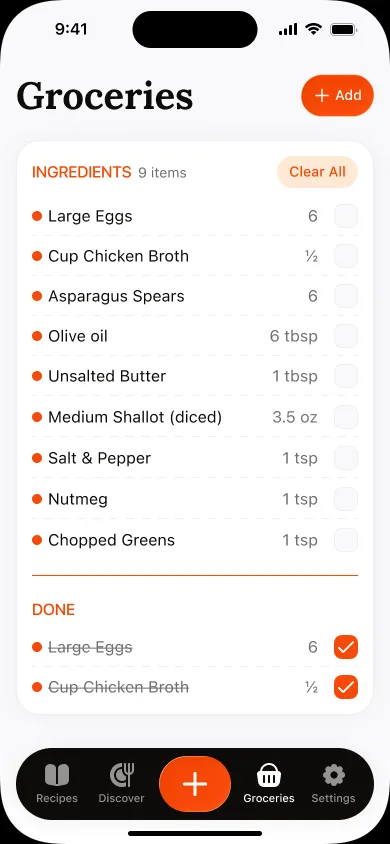
Smart grocery lists
Add recipes to a shopping list and Chompo combines the ingredients and sorts them — ready for the store.
Step-by-step cook mode
Follow a recipe one step at a time with a clean, easy-to-read view while your hands are busy.
Yours and private
Your saved recipes are your own. Keep your library private and organized exactly the way you like it.
A real recipe, not a 60-second video.
Three taps from link to library.
Paste the video link
Found a recipe on TikTok or Instagram? Copy the link or share it straight to Chompo.
Get a structured recipe
Chompo extracts the ingredients and steps and turns the video into a recipe you can read and cook from.
Save, shop, and cook
Keep it in your library, add the ingredients to a grocery list, and follow along in cook mode.
Simple and fair.
Start free and import your first recipes. Upgrade when you want an unlimited library and grocery lists.
$39.99 / year
3-day free trial. Cancel anytime.
- Unlimited recipe imports
- Unlimited private recipe library
- Combined, sorted grocery lists
- Step-by-step cook mode
- Search and organize your recipes
$9.99 / month
3-day free trial. Cancel anytime.
- Unlimited recipe imports
- Unlimited private recipe library
- Combined, sorted grocery lists
- Step-by-step cook mode
- Search and organize your recipes
Common questions
Which apps can I import recipes from?
Chompo works with cooking videos from TikTok and Instagram. Just copy the link or use the share sheet to send it to Chompo.
Does it work with every video?
Chompo works best with videos that actually show or describe a recipe. The clearer the ingredients and steps in the video, the better the structured result.
Can I edit a recipe after it's imported?
Yes. Every imported recipe is fully editable, so you can fix amounts, tweak steps, or add your own notes before you cook.
How do grocery lists work?
Add one or more recipes to your grocery list and Chompo combines duplicate ingredients and groups them so shopping is quick and tidy.
What devices does Chompo work on?
Chompo is an iPhone app and requires iOS 17 or later.
Stop screenshotting recipes. Start cooking them.
Download Chompo and turn your first video into a recipe in under a minute.
Download on the App Store